
Here are some recent tips and updates to enhance your daily routine by utilizing your loyalty card platform.
Adding the Scanner App to your Home Screen
Easily add the scanner app to your mobile device Home Screen.
Kiosk Mode in the Scanner App
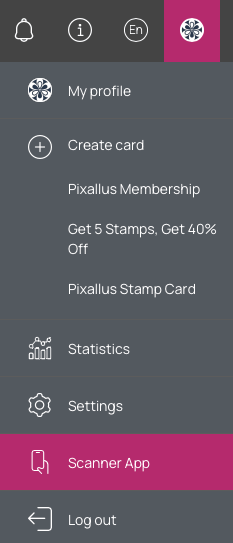
You can have a dedicated mobile device like cell phones or tablets mounted at your checkout counter. Kiosk mode leaves the scanner active so that customers can scan their own cards during checkout and automatically accrue the configured number of stamps/points (depending on the type of card) without manual input.
- Once you’ve opened the scanner app, click the menu icon
- Select Kiosk Mode
- Apply automation settings for each card
- Start Kiosk Mode


Adding more than one Google Review link
After a customer completes a purchase, you can set a time-delated push notification requesting their review. For businesses with more than one location, you can add multiple links for multiple locations to Google Maps. This provides an easy way for your customer to leave a review at the respective location.